How to Take Meeting Notes: A Method + Free Template (2026)
Learn how to take meeting notes that turn into action. A research-backed method, a 5-part template, and digital tips for clear, useful notes in 2026.
Between 30% and 50% of the hours we spend in meetings are not productive, according to Steven Rogelberg's research at UNC Charlotte, drawn from surveys of more than 5,000 employees. The same research found that 73% of people do other work during meetings and 90% admit to daydreaming.
Good meeting notes are the cheapest fix for that problem. Learning how to take meeting notes that capture decisions and next steps turns a forgettable hour into a record your team actually uses.
This guide covers:
- The one principle that separates useful notes from useless transcripts
- A reusable 5-part meeting notes template
- A before, during, and after workflow you can run every time
Table of Contents
- Why Most Meeting Notes Fail
- The Core Principle: Capture Decisions, Not Dialogue
- The 5-Part Meeting Notes Template
- How to Take Meeting Notes: Before, During, After
- Meeting Notes vs. Meeting Minutes
- Common Meeting-Note Mistakes
- Taking Meeting Notes Digitally in 2026
- Conclusion
- Frequently Asked Questions
Why Most Meeting Notes Fail
Most notes fail for the opposite of the reason people expect. They fail because they capture too much, not too little.
When you try to write down everything, you end up with a wall of text nobody rereads. The decisions are buried, the action items are missing an owner, and two weeks later no one can tell what was actually agreed. A record that is not used is not a record at all.
The fix is a shift in goal. Meeting notes are not a transcript of the conversation. They are a short, structured answer to one question: what changed because this meeting happened?
The Core Principle: Capture Decisions, Not Dialogue
There is real cognitive science behind writing less. In a widely cited 2014 study in Psychological Science, Pam Mueller and Daniel Oppenheimer found that people who took notes verbatim understood the material worse than people who summarized in their own words. Transcribing is a shallow, mechanical act; summarizing forces you to process meaning.
Applied to meetings, the principle is simple: do not write what people say — write what the group decided. For every stretch of discussion, ask yourself three questions:
- Was a decision made? Record it in one line.
- Did someone commit to an action? Record the task, the owner, and the due date.
- Was a question left open? Record it so it does not vanish.
If the answer to all three is no, you probably do not need to write anything. That single filter is what keeps notes short and useful.
The 5-Part Meeting Notes Template
Working from a template every time means you never stare at a blank page and never forget a category. Copy this structure into your notes tool and reuse it for every meeting.
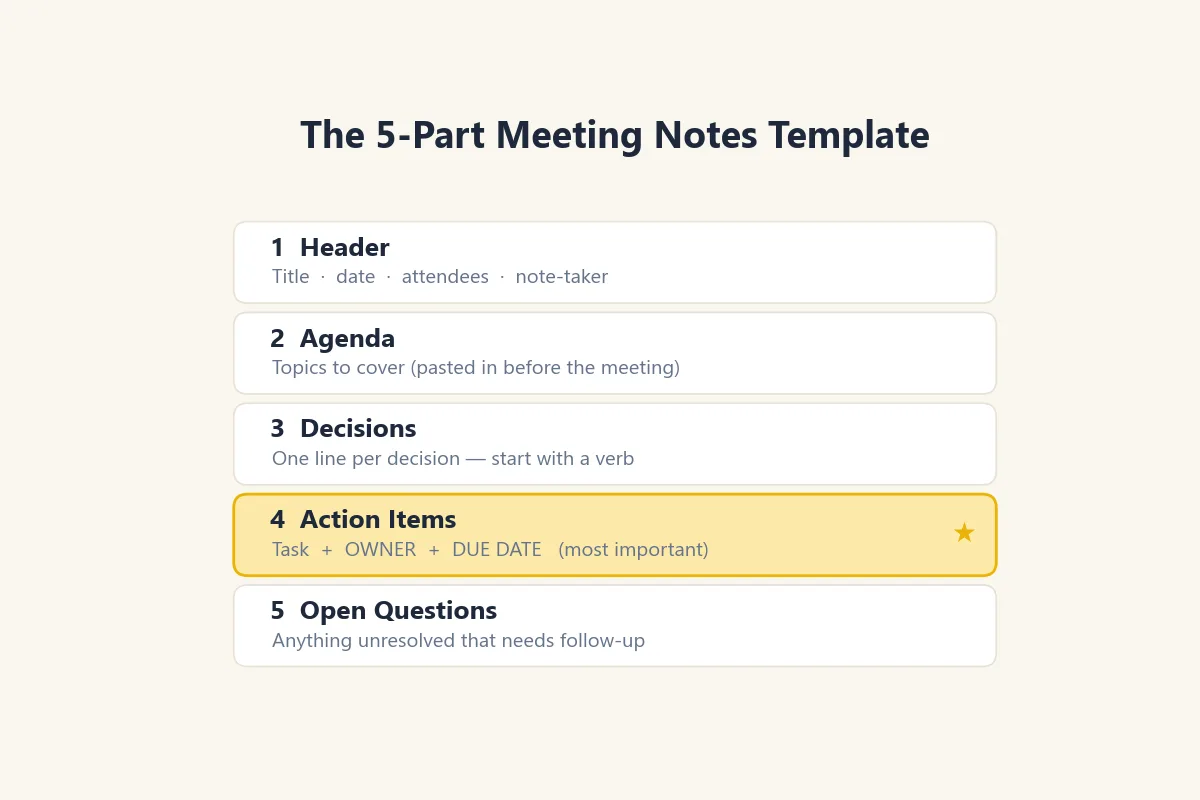
1. Header — Meeting title, date, attendees, and note-taker. This is your context for anyone reading later.
2. Agenda — The topics to cover, ideally pasted in before the meeting starts. The agenda becomes the skeleton your notes hang on.
3. Decisions — A one-line entry for each decision the group reached. Start with a verb: "Approved the Q3 budget," "Chose vendor A over vendor B."
4. Action items — The most important section. Every task gets an owner and a due date. A task without an owner is a wish, not a commitment.
5. Open questions — Anything unresolved that needs a follow-up. Capturing these prevents the same debate from restarting next week.
How to Take Meeting Notes: Before, During, After
Great notes are not just written during the meeting. They span three phases.
Before the meeting. Paste the agenda into your template and add any context you already know. Starting with structure means you spend the meeting listening, not formatting.
During the meeting. Fill only the Decisions, Action items, and Open questions sections. Use short phrases and abbreviations. If you are leading the meeting, Rogelberg recommends handing note-taking to someone else so your attention stays on the conversation.
After the meeting. Spend five minutes cleaning up: confirm each action item has an owner and date, remove noise, and write a one-line summary at the top. Then share the notes within a few hours, while everyone still remembers the context.
Meeting Notes vs. Meeting Minutes
The two terms are often confused, but the distinction matters.
Meeting minutes are a formal record, sometimes legally required for boards, nonprofits, or compliance. They follow a fixed format, name a recording secretary, and are frequently approved at the next meeting.
Meeting notes are a lighter working document. Their job is not to satisfy a regulation but to help a team act. For most day-to-day standups, project syncs, and client calls, notes are what you want. Reserve full minutes for governance settings that require them.
Common Meeting-Note Mistakes
- Transcribing everything. As the science shows, verbatim capture weakens understanding and buries the decisions.
- Action items with no owner. "We should follow up with the client" helps no one. "Ayşe emails the client by Friday" gets done.
- Never sharing the notes. Notes that stay in your private file never become action. Share fast.
- Reinventing the format every time. Without a template, you forget categories and each meeting's notes look different, making them hard to scan later.
- Confusing detail with value. A longer note is not a better note. The best record is the shortest one that still captures every decision and action.
Taking Meeting Notes Digitally in 2026
Paper notes cannot be searched, shared, or turned into tracked tasks. A digital note tool adds all three, and the 2026 shift toward AI meeting assistants makes the workflow even faster.
AI assistants now transcribe and draft summaries well, but they still produce a first draft, not a finished record. Someone has to confirm the decisions, assign owners, and cut the noise — exactly the judgment the five-part template guides. The best setup pairs AI capture with a human review inside a structured notes system.
A tool like Nottut fits this workflow: a block editor to build your reusable template, checklists for action items, tags to keep every meeting series together, sharing to send notes in one click, and offline access for when the conference-room Wi-Fi drops. Whatever tool you choose, the criteria are the same — fast capture, easy sharing, and a structure that survives from one meeting to the next.
Conclusion
Four things to remember about taking meeting notes:
- Notes are not a transcript. Capture decisions, action items, and open questions — nothing else is required.
- Every action item needs an owner and a due date, or it will not happen.
- Use the same 5-part template every time so you never forget a category.
- Share notes within a few hours, while context is fresh, to turn the record into action.
Try one change in your next meeting: paste the agenda into a template beforehand and fill only the decisions and action items during the call. You will spend less time writing and walk out with a record people actually use. To build a reusable template you can share with your team, start with Nottut for free — a block editor, checklists, tags, and one-click sharing support this exact workflow.
Frequently Asked Questions
What should meeting notes include?
Effective meeting notes include five core elements: the date and attendees, the agenda items discussed, key decisions made, action items with an owner and due date, and any open questions. Everything else is optional detail.
What is the difference between meeting notes and meeting minutes?
Meeting minutes are a formal, often approved record required for boards, legal, or compliance purposes. Meeting notes are a lighter working record focused on decisions and action items so the team can move forward.
Should you write meeting notes by hand or on a laptop?
Either works, but the key is to summarize in your own words rather than transcribe word for word. Mueller and Oppenheimer's research found that verbatim capture weakens understanding, while a digital template adds search, sharing, and action tracking.
How do you take notes and participate in a meeting at the same time?
If you are leading or heavily contributing, delegate note-taking to someone else or use a template so you only capture decisions and actions. Pre-loading the agenda into your notes also frees your attention during the meeting.
When should you share meeting notes?
Share notes within a few hours of the meeting, while context is fresh. Fast sharing turns the record into action and gives absent teammates a reliable summary.
Can AI take meeting notes for you?
AI meeting assistants can transcribe and draft summaries well, but a human still needs to confirm decisions, assign owners, and remove noise. Treat AI output as a first draft you refine inside your own notes system.