Nottut for Researchers: Papers, a Review Matrix and a Lab Log
How researchers and PhD students use Nottut: a paper database you can read as a literature review matrix, one page per paper, an argument map, a research log and chapter drafts.
Research reading keeps growing. US university science faculty reported about 280 article readings a year in 2005, up from 150 in 1977 (Tenopir & King, 2008). In a 2012 survey at five US universities, faculty read about 21 articles a month (Tenopir et al., 2015). Papers are only part of it: there are also notes on each one, the argument that connects them, data from your own studies, and the chapter all of it has to become.
Nottut keeps those in one linked workspace. Below are seven setups from a demo PhD workspace in educational psychology. The papers in it are real, and our active recall guide explains what they found; the pilot study and its data are made up for the demo.
One thing first: Nottut is not a reference manager. Keep Zotero or whatever you use now for citations, and use Nottut for the thinking around them.
At a glance
- A paper database with year, design, findings, limitations and themes, read as a matrix or as a reading board.
- One page per paper, with its properties on top and links to the ideas it supports.
- An argument map drawn in the note, next to the concept notes it organizes.
- A research log with a calendar view, protocol checklists and the data file previewed in the entry.
- Formulas and code: LaTeX math rendered with KaTeX, and R, Python or SQL with syntax highlighting.
- PDF previews of your own drafts inside the page, and export to Markdown, HTML or PDF.
Table of contents
- 1. A research home
- 2. A paper database you can read as a matrix
- 3. One page per paper
- 4. Concept notes and an argument map
- 5. A research log someone else could follow
- 6. Analysis notes with formulas and code
- 7. Chapter drafts next to their comments
- Keep your reference manager
- What Nottut does not do
- FAQ
1. A research home
One page for the week: what is due, what is next, and where the chapters stand. It is the page you open first on a Monday.
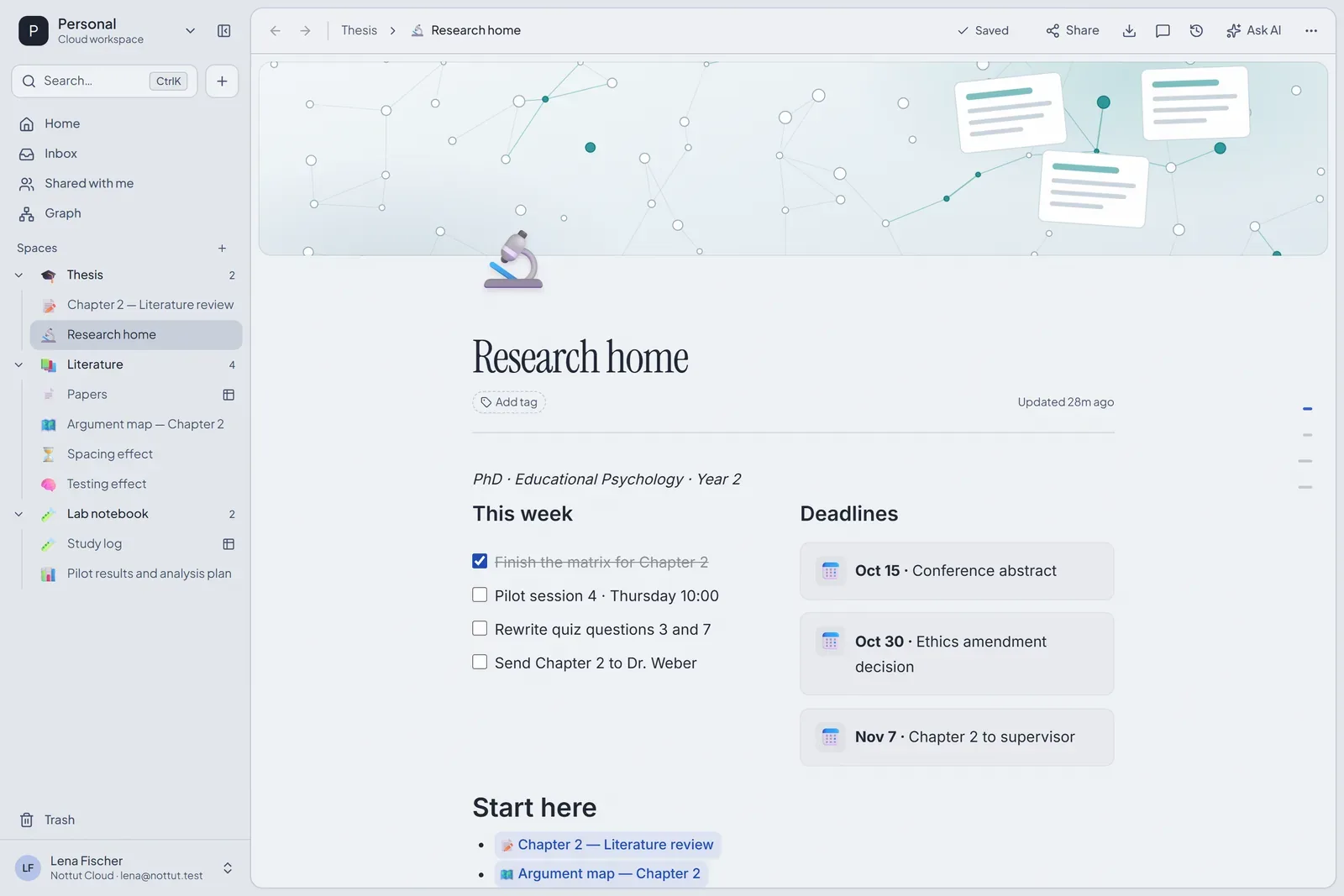
How to build it: add a cover, type /2 col for two columns, put a to-do list on the left and a callout for each deadline on the right. Below that, a plain table (/table) tracks where each chapter stands. Link any page by typing [[ and its name.
2. A paper database you can read as a matrix
A literature review matrix gives every study one row and every question you ask of the studies one column. Judith Garrard's Matrix Method, now in its sixth edition, builds a whole review process around this table, and university library guides suggest starting with author, year and purpose, then adding columns for method and findings (Garrard, 2022; VCU Libraries).
In Nottut the matrix is a database, so the same rows can also be read another way. This one has a Matrix view sorted by year, and a Reading view: a board grouped by To read, Reading and Notes done.
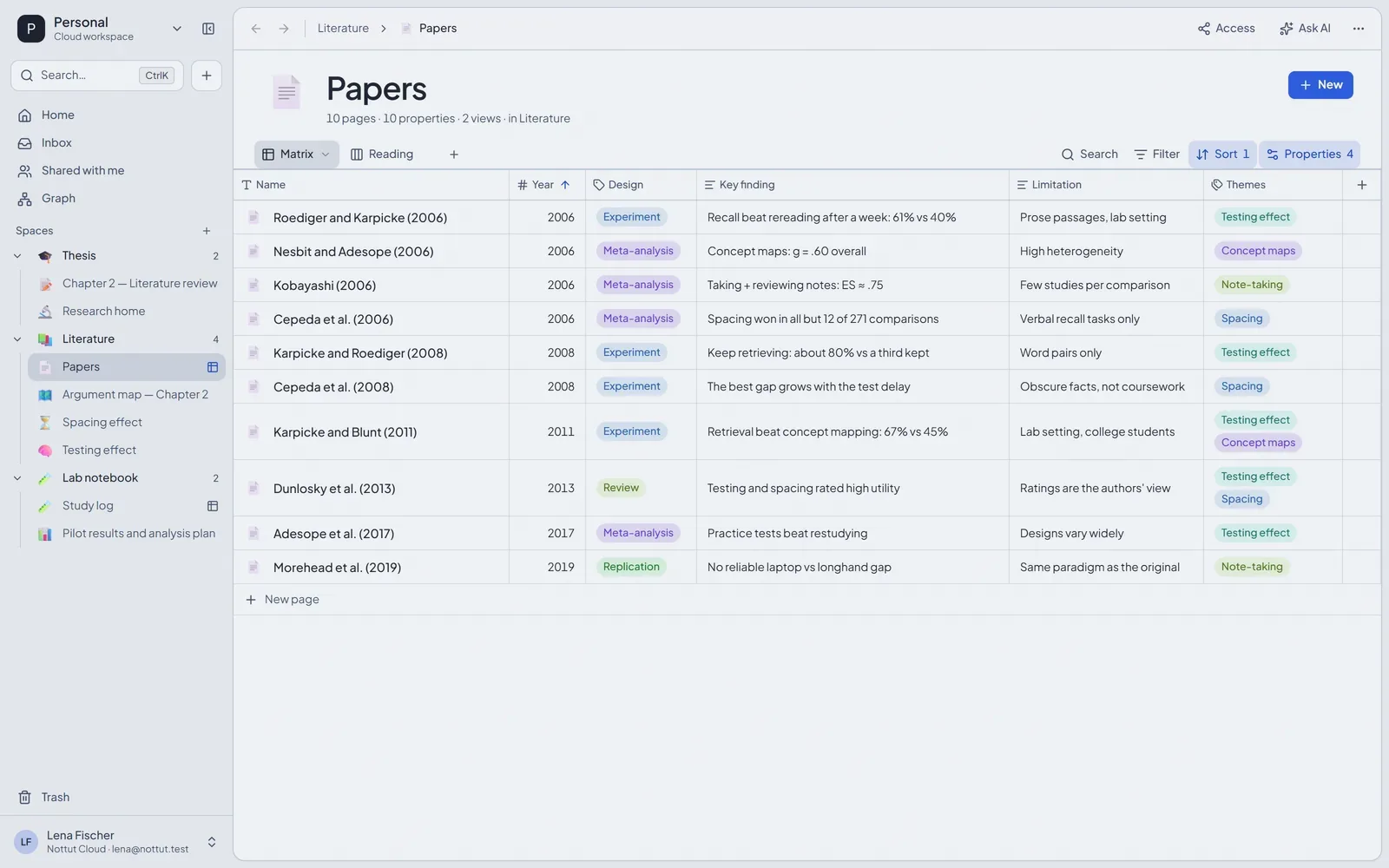
How to build it: open the + menu next to a space and choose New database. Add a number property for the year, selects for design and venue, text properties for the finding and the limitation, a multi-select for themes, a status and a URL for the DOI. Hide the columns a view does not need, sort by year, and use the + next to the view tabs to add a Board view grouped by status.
Keep the cells short. A matrix is for comparing studies at a glance, and the detail belongs on the paper's own page.
3. One page per paper
Every row in the database is also a page, and its properties sit at the top of that page. Below them go your notes on the paper.
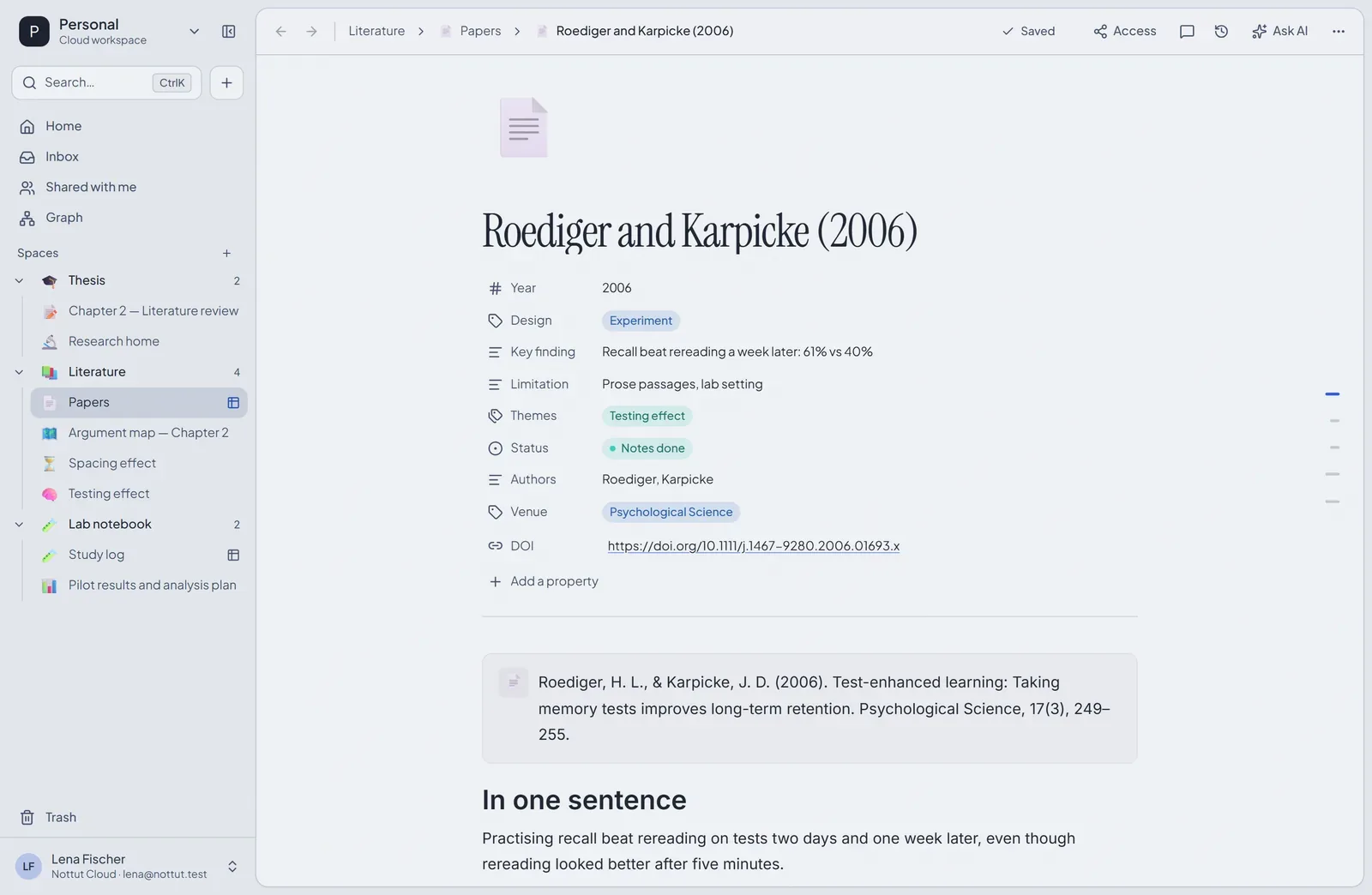
S. Keshav's three-pass method gives the page a shape (Keshav, 2007):
- First pass, 5 to 10 minutes: title, abstract, introduction, headings and conclusions, plus a glance at the references. Enough to say what kind of paper it is and whether it matters to you.
- Second pass, up to an hour: the figures and the argument, skipping proofs and fine detail. Note the references you have not read.
- Third pass: re-create the work in your head. Keshav puts this at four or five hours for a beginner and about an hour for an experienced reader.
A page after the second pass might hold the citation, a one-sentence summary, method and result in two columns, and a short "why it matters for my thesis" paragraph with links to your concept notes.
4. Concept notes and an argument map
Papers support ideas, and ideas carry the chapter. Short concept notes ("Testing effect", "Spacing effect") link to the papers behind them, and each paper page then lists the concept notes that link to it at the bottom. The Graph view in the sidebar shows the whole network.
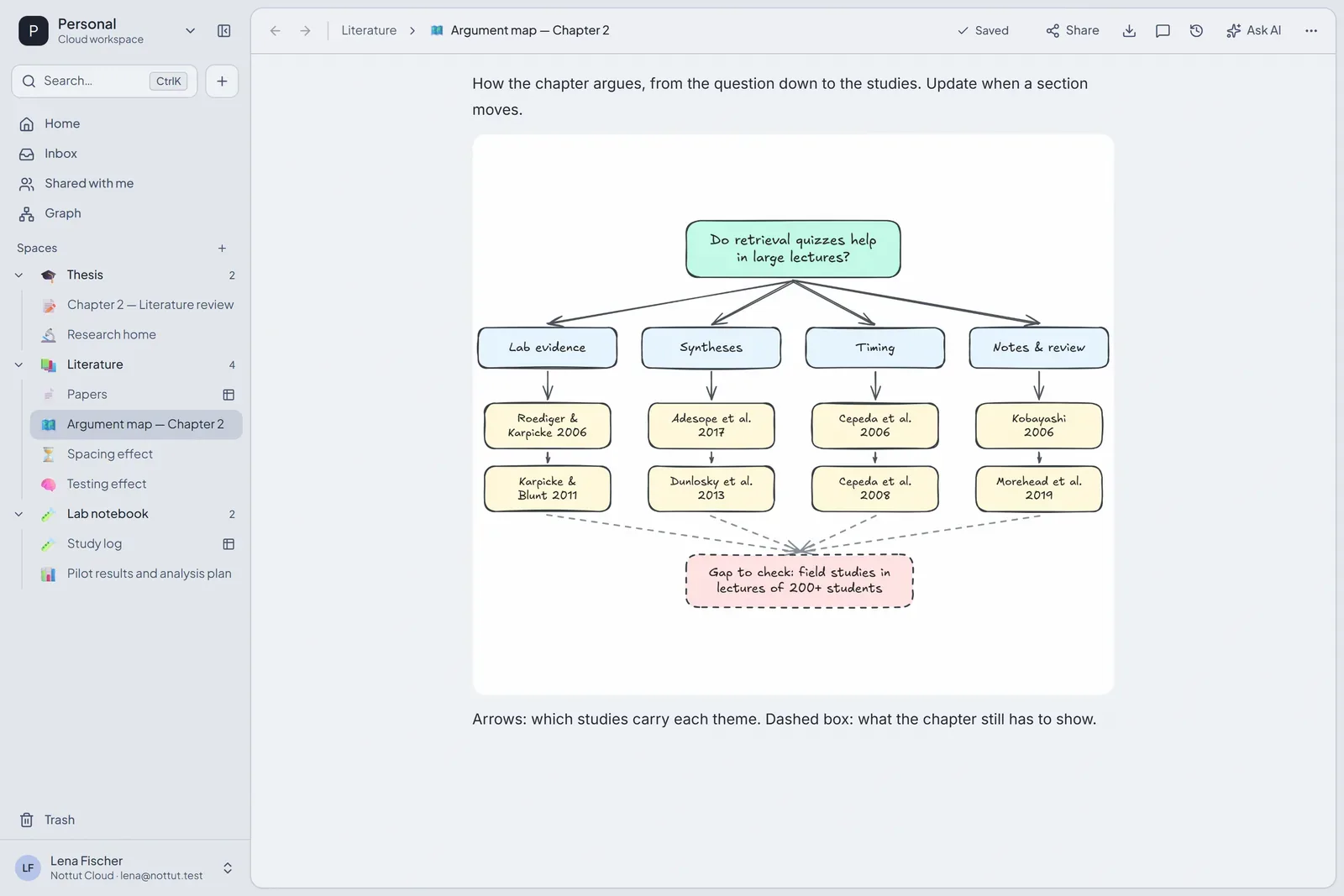
For the chapter's argument, draw it. The Drawing block (/draw) gives you an Excalidraw canvas inside the note: the question at the top, the themes under it, the studies under each theme, and the gap the thesis fills.
5. A research log someone else could follow
In a 2016 Nature survey of 1,576 researchers, more than 70% said they had tried and failed to reproduce another scientist's experiments, and more than half had failed to reproduce their own. Nature noted that the respondents probably leaned toward people already worried about the problem (Baker, 2016).
Good records are the part of reproducibility you control. The NIH's guidelines for its own researchers set the bar that "another person or research group should be able to reproduce or reconstruct your research" from your records, and ask for entries that are dated, say who did what, when, why and how, record the materials used, what was found and what comes next, keep all primary data, and are backed up (NIH Office of Intramural Research, 2025).
A database with a calendar view makes a clean log: one entry per session, meeting or analysis, each with a date, a type and a status.
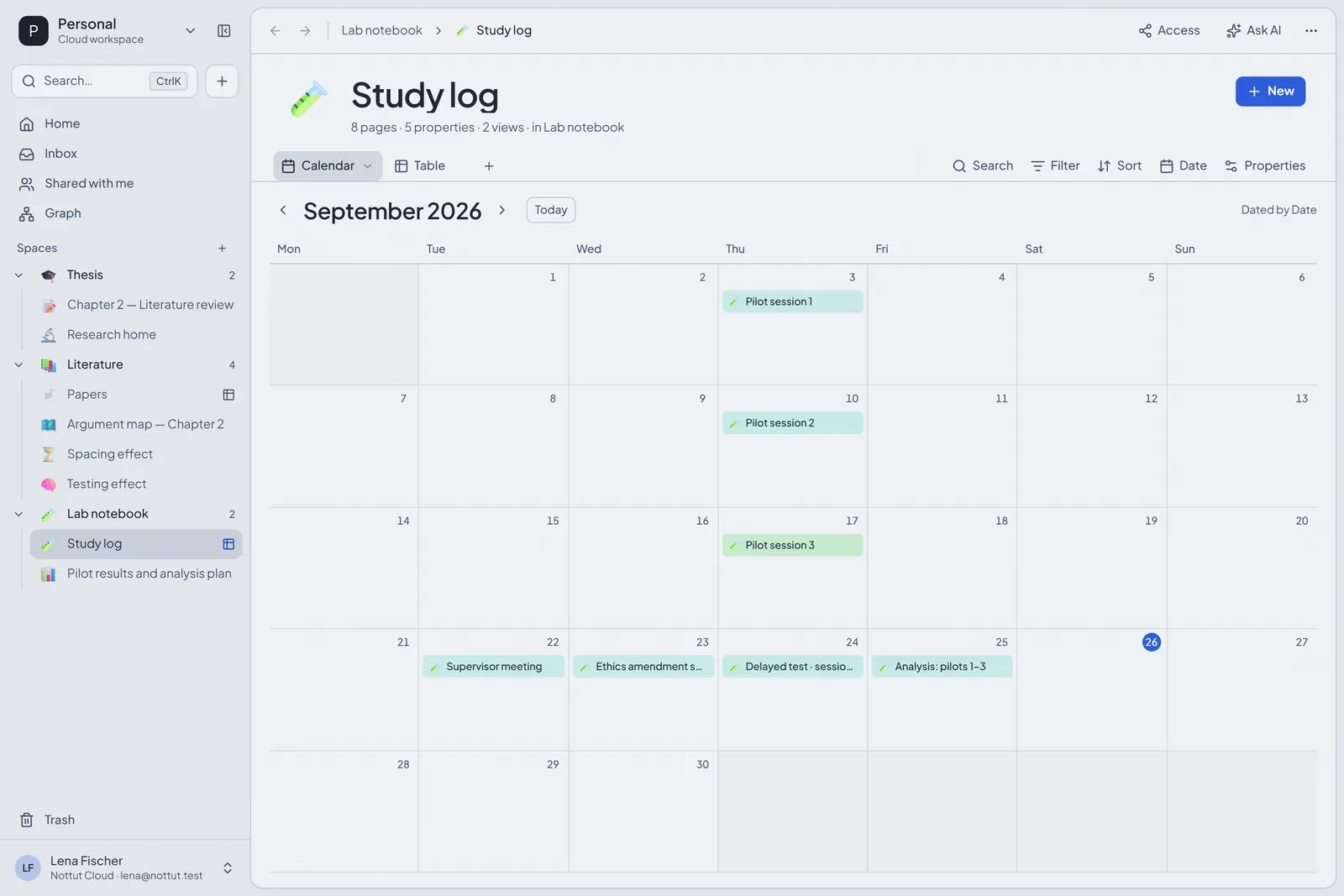
Each entry is a page. This one has the protocol as a checklist, a callout for what went differently, observations, and the session's data file with a preview in the page.
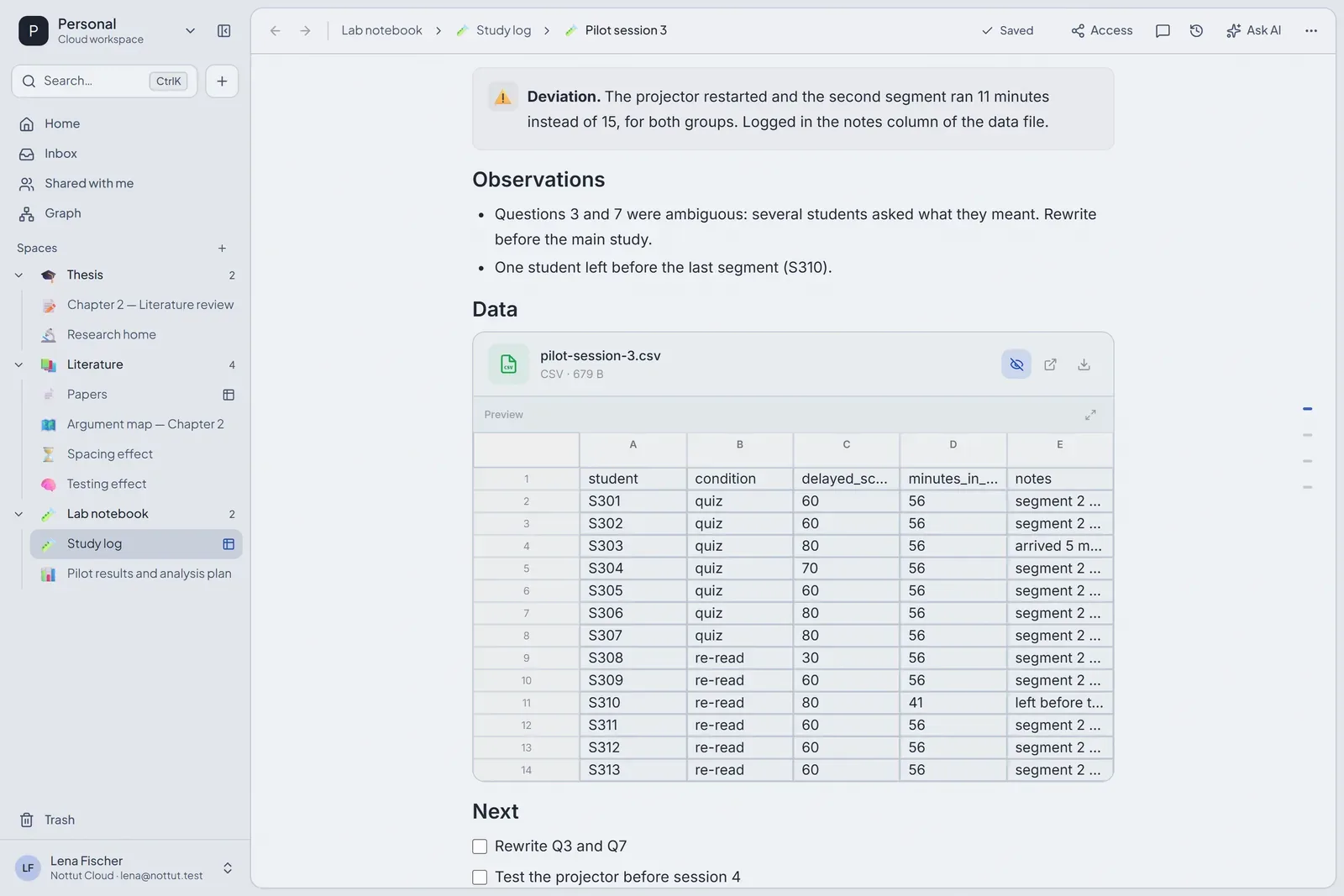
How to build it: create a database with a date, a select for the type and a status, and add a Calendar view. Upload the data file into the entry (drag it in, or /file). CSV and .xlsx files preview as a grid of the first 100 rows and 40 columns, PDFs page by page, and .txt files as text.
6. Analysis notes with formulas and code
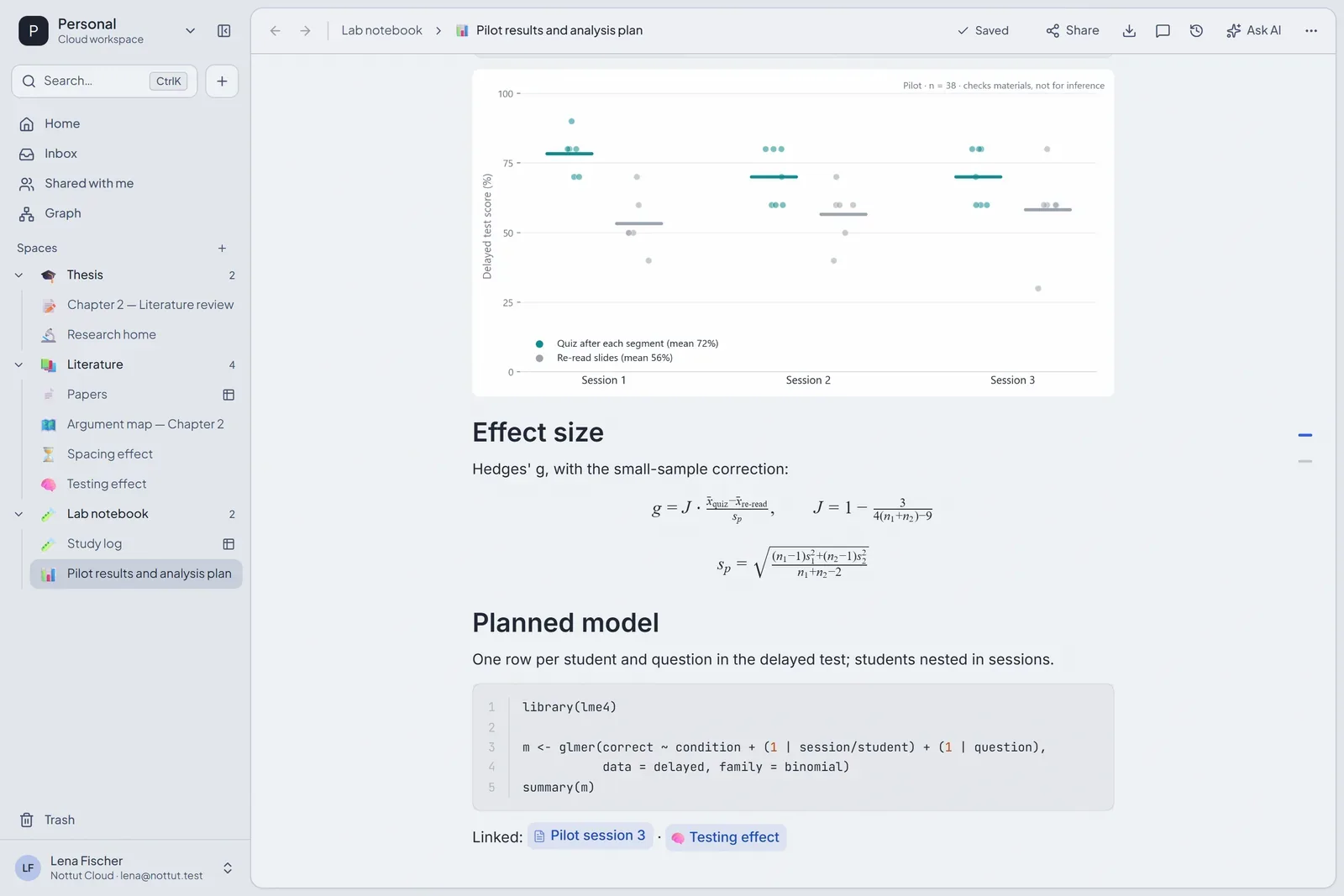
The analysis plan sits next to the data it is for. Equations are written in LaTeX between $$ signs, or with Math block in the slash menu. Code blocks highlight R, Python, SQL and more than thirty other languages. The chart here is an image uploaded into the note.
7. Chapter drafts next to their comments
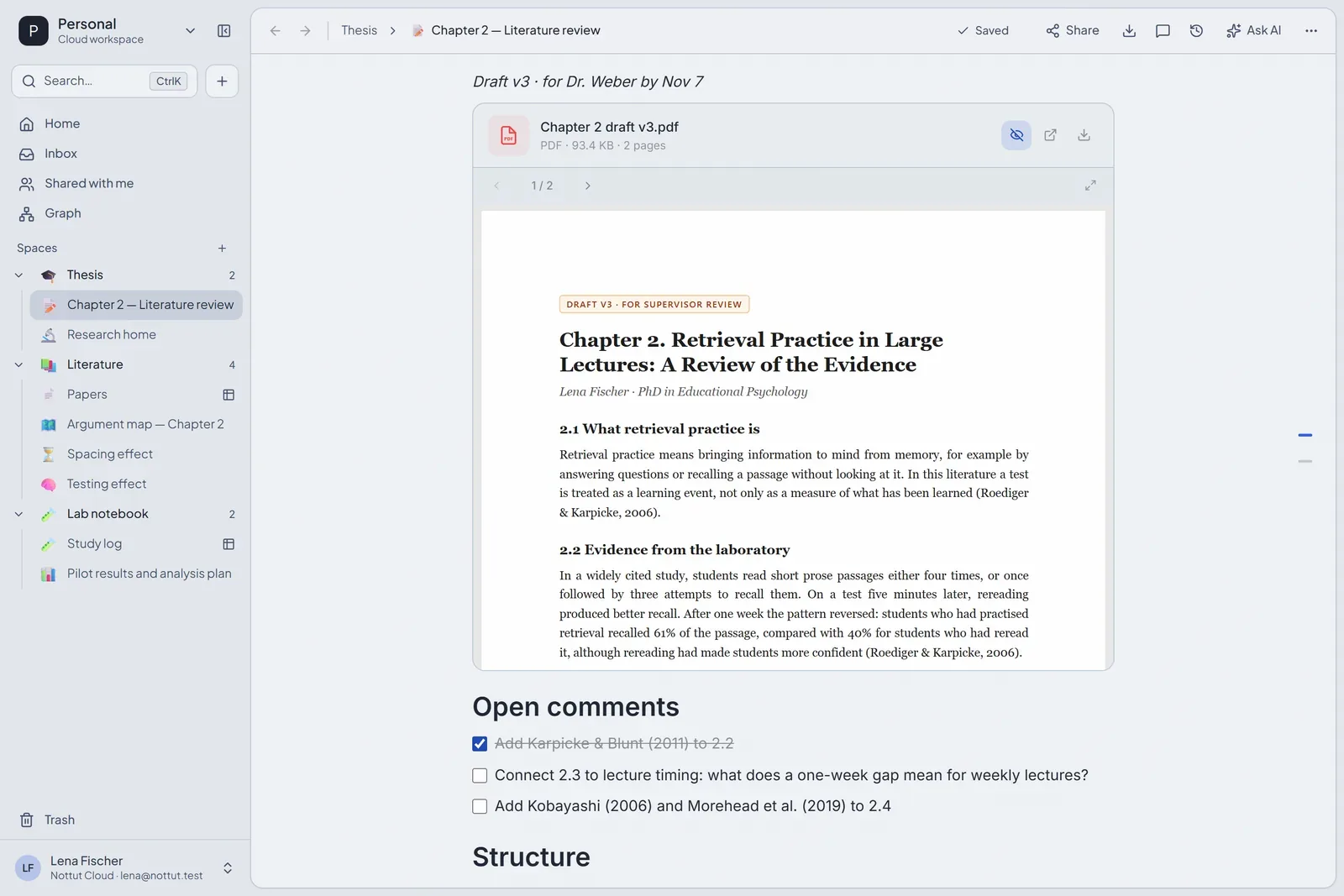
When a draft goes to your supervisor as a PDF, put the PDF in the chapter's page. It previews in the page, page by page, and you can turn the comments that come back into to-dos underneath.
You can also write the draft in Nottut itself and export it to Markdown, HTML or PDF. For the final manuscript you will probably move into Word, LaTeX or Google Docs, where your reference manager's plugin formats the citations.
Keep your reference manager
Zotero is "a free, open-source research tool" from the nonprofit Corporation for Digital Scholarship. It imports and exports BibTeX and RIS, and its plugins for Word, LibreOffice and Google Docs insert citations and keep the bibliography up to date (Zotero). Nottut does none of that, and it does not try to.
A division of labour that works: the reference manager holds the library and formats citations. Nottut holds everything you think about the papers: the matrix, the paper notes, the argument, the log and the drafts. Put the DOI in each paper's row, and the two stay easy to match.
What Nottut does not do
- No citation management. No citation insertion, no bibliography styles, no BibTeX import, no Zotero sync.
- No PDF annotation. PDFs preview in the page; you cannot highlight or comment inside them.
- Search covers your notes, not the text inside attached PDFs.
- Not a systematic review tool. There is no screening workflow, no deduplication and no PRISMA diagram. Nottut suits a narrative literature review. A systematic review, which aims for exhaustive searching and formal appraisal (Grant & Booth, 2009), is better served by dedicated screening software.
- Not a regulated electronic lab notebook. Pages keep a history, but entries are not locked and there are no signatures. Where your institution requires a validated ELN, use it.
- No offline mode yet, and no native mobile app. Nottut runs in the browser and installs like an app.
FAQ
Can I store PDFs of papers in Nottut?
You can upload PDFs and other files into any page, and PDFs preview in the page. Nottut does not annotate PDFs or search inside them, so keep your annotated library in your reference manager, and save your own drafts, handouts and data files in Nottut.
Does Nottut replace Zotero or Mendeley?
No. It does not manage citations or format bibliographies. Use it next to your reference manager for notes, the literature review matrix, your research log and drafts.
How do I make a literature review matrix in Nottut?
Create a database with one row per study. Add properties for what you compare, such as year, design, sample, key finding and limitation, and read it in a table view. Each row is also a page for your notes on that study.
Can I write equations?
Yes. Write LaTeX between $$ signs on its own line for a block equation, or between single $ signs inside a sentence. Nottut renders both with KaTeX.
Can I use Nottut as a lab notebook?
For a personal research log, yes: dated entries, protocols as checklists, deviations recorded where they happen, and data files attached. It is not a validated electronic lab notebook, so it does not replace one where your lab or institution requires it.
The short version
Keep one database of papers you can read as a matrix, a page per paper, a map of the argument, a log someone else could follow, and your drafts next to their comments. Leave citations to your reference manager. Create a free account and start with the paper database.
Related reading: Active recall and spaced repetition · The Zettelkasten method · How to take better notes
Sources
- Baker, M. (2016). 1,500 scientists lift the lid on reproducibility. Nature, 533(7604), 452–454. doi.org/10.1038/533452a
- Garrard, J. (2022). Health sciences literature review made easy: The matrix method (6th ed.). Jones & Bartlett Learning. jblearning.com
- Grant, M. J., & Booth, A. (2009). A typology of reviews: An analysis of 14 review types and associated methodologies. Health Information & Libraries Journal, 26(2), 91–108. doi.org/10.1111/j.1471-1842.2009.00848.x
- Keshav, S. (2007). How to read a paper. ACM SIGCOMM Computer Communication Review, 37(3), 83–84. doi.org/10.1145/1273445.1273458
- National Institutes of Health, Office of Intramural Research. (2025). Guidelines and policies for the conduct of research in the Intramural Research Program at NIH (9th ed.), Scientific record keeping. oir.nih.gov
- Tenopir, C., & King, D. W. (2008). Electronic journals and changes in scholarly article seeking and reading patterns. D-Lib Magazine, 14(11/12). doi.org/10.1045/november2008-tenopir
- Tenopir, C., King, D. W., Christian, L., & Volentine, R. (2015). Scholarly article seeking, reading, and use: A continuing evolution from print to electronic in the sciences and social sciences. Learned Publishing, 28(2), 93–105. doi.org/10.1087/20150203
- VCU Libraries. Organize key findings. Health Sciences Literature Review guide. guides.library.vcu.edu
- Zotero. About Zotero. zotero.org