Note-Taking App for Students: 6 Study Setups to Copy
What a student note-taking app should do, plus six setups to copy in Nottut: semester home, lecture notes with formulas, concept maps and an assignment board.
A good note-taking app for students does two jobs. It holds everything a course throws at you (typed notes, formulas, diagrams, slides and deadlines), and it helps you review that material later. The second job matters more than it sounds: across dozens of studies, reviewing notes does far more for test results than taking them does (our research summary).
Below is a checklist of what to look for, then six setups you can copy in Nottut, each shown in a real workspace.
Table of contents
- What to look for in a note-taking app for students
- 1. A semester home
- 2. Lecture notes with diagrams and formulas
- 3. Math that renders properly
- 4. Concept maps you draw in the note
- 5. Assignments on a board and a calendar
- 6. A reading list with covers
- Set it up in 15 minutes
- What Nottut does not do yet
- FAQ
What to look for in a note-taking app for students
| You need | Why it matters | How Nottut does it |
|---|---|---|
| Fast capture in lectures | Students typically record only about a third of a lecture's important ideas | Type / for any block, plus Markdown shortcuts such as #, - and [] |
| Formulas and diagrams | STEM courses are not plain text | Math blocks rendered with KaTeX, a Drawing block for sketches, image uploads |
| Structure by course and term | You need to find things the week before an exam | Spaces, nested pages, links between notes, full-text search |
| Deadlines in one place | Missed assignments cost more than messy notes | Databases with board and calendar views |
| A way to test yourself | Retrieval practice is what makes material stick | Questions with hidden answers in toggles, plus a review queue |
| Your devices | Laptop in class, phone on the bus | Runs in any modern browser and installs like an app |
| A way out | Your notes should outlive the app | Export to Markdown, HTML or PDF |
One honest caveat: if you take handwritten notes with a stylus on a tablet, an app built around handwriting will suit you better. Nottut is for typed notes, with formulas, drawings and images mixed in.
1. A semester home
Start each term with one page that answers "what is due, and where is everything?" Give it a cover, split the top into two columns (this week's tasks on the left, upcoming exams on the right) and link to the pages you open most.
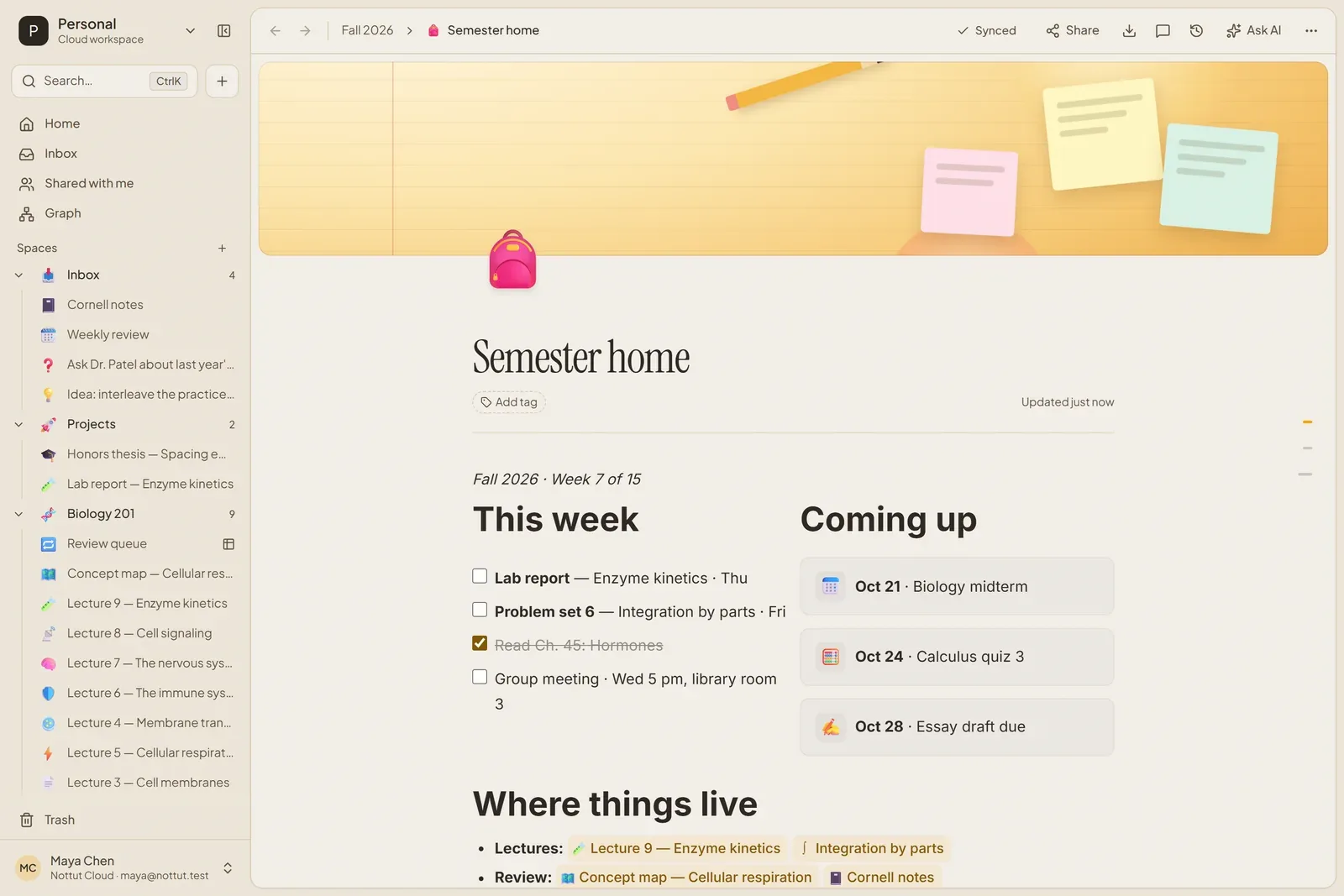
How to build it: create a space for the term, add a page and pick a cover (a gradient, or your own image). Type /2 col for two columns, use a to-do list on the left and callouts for dates on the right. Link any page by typing [[ and its name.
2. Lecture notes with diagrams and formulas
A biology lecture is not just text. This note keeps the key terms next to the graph they explain, writes the equation properly, and ends with questions to answer before the next class.
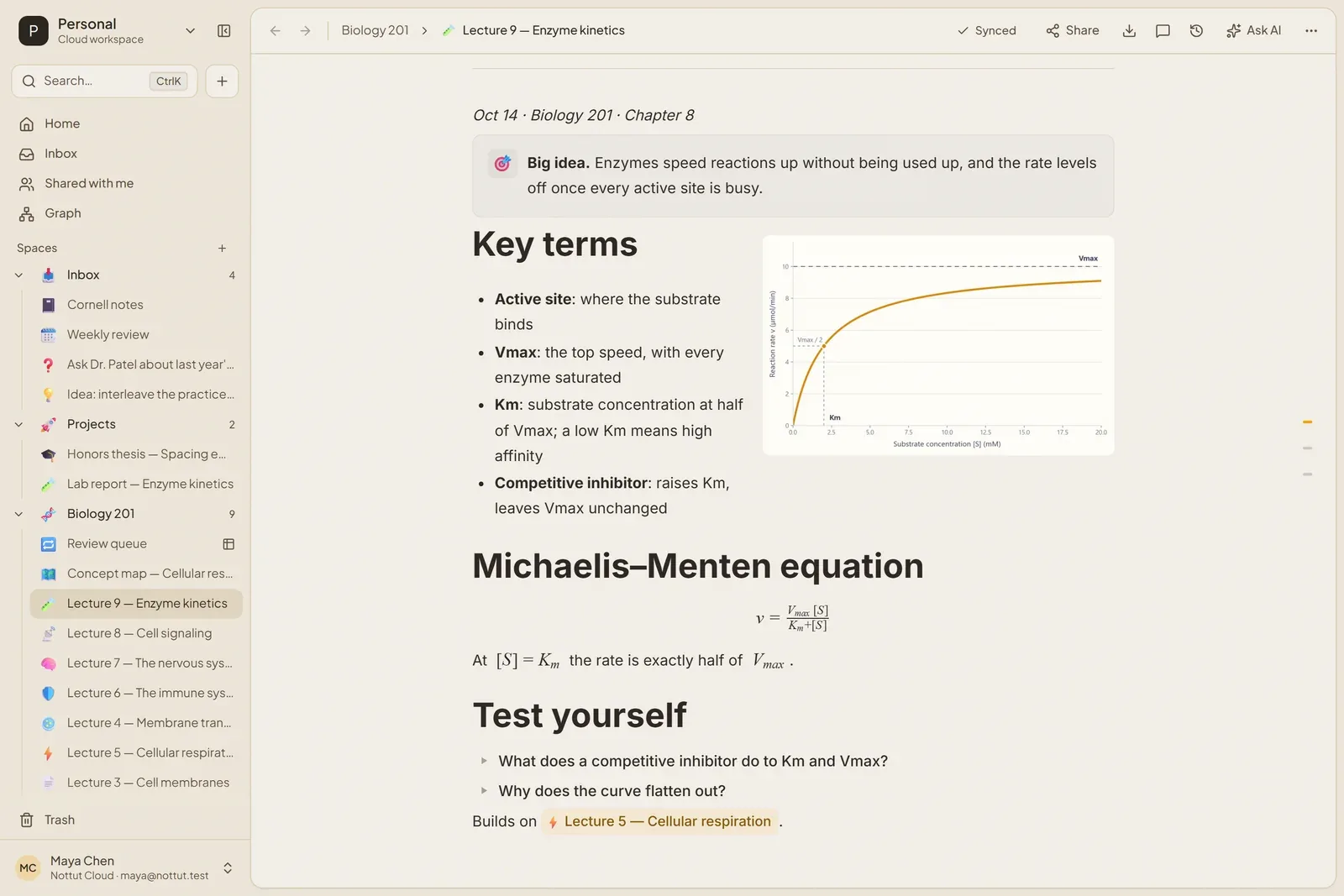
How to build it: use two columns and drop an image into one of them. For an equation, type it between double dollar signs on its own line, like $$E = mc^2$$, or pick Math block from the slash menu. Write each "test yourself" question as a toggle (/toggle) with the answer inside. Answering from memory before you peek is the habit that pays off most, and our active recall guide shows how to schedule it.
3. Math that renders properly
Math and physics notes need real notation. Block equations sit on their own line, inline math sits inside a sentence, and a table keeps rules like LIATE readable.
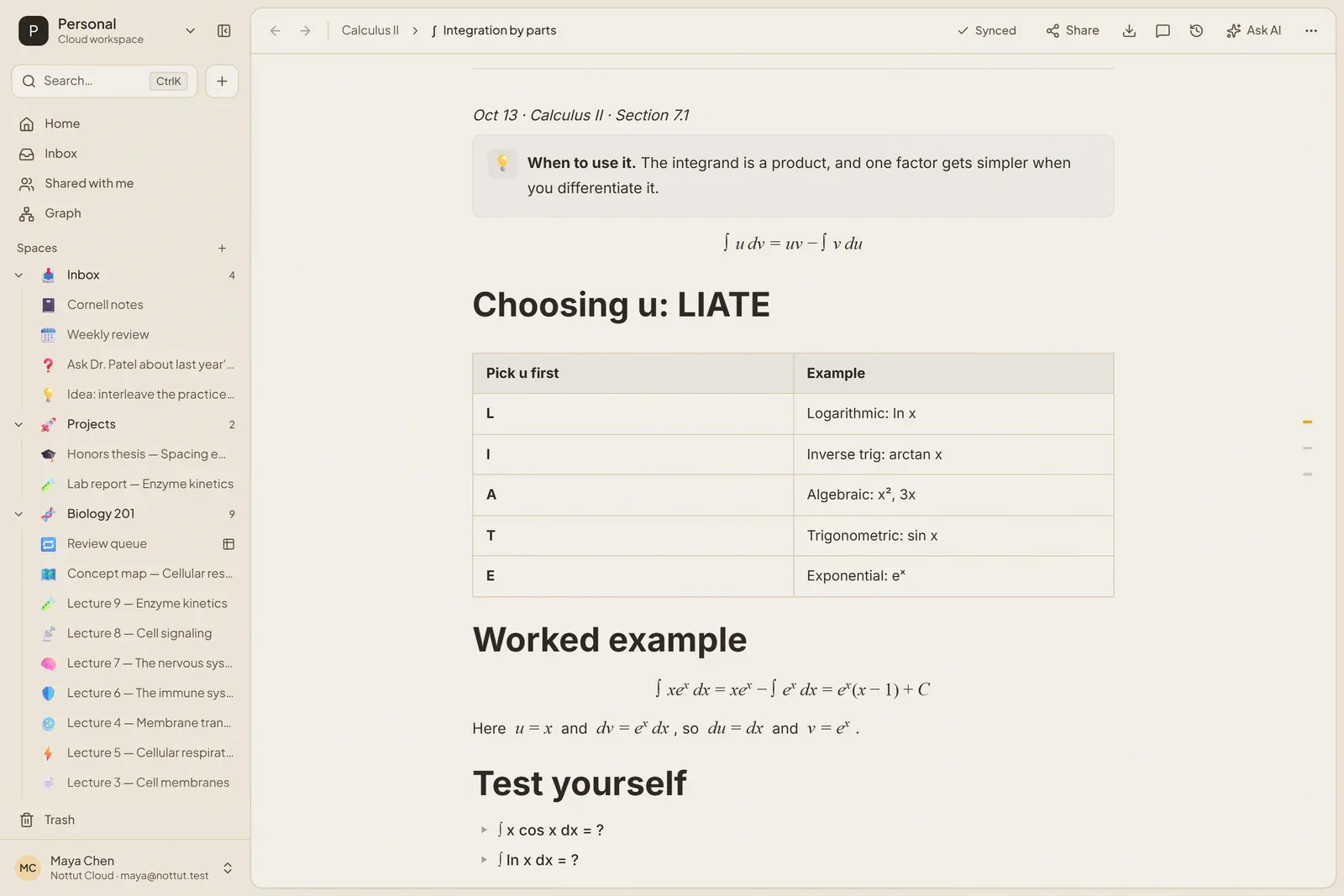
How to build it: an equation between $$ signs on its own line becomes a block; between single $ signs inside a sentence, it becomes inline math. Both are also in the slash menu as Math block and Inline math. Put practice problems in toggles, with the solution as a math block inside.
4. Concept maps you draw in the note
Some topics are easier to see than to list. The Drawing block gives you a canvas inside the note, so the map sits next to the lecture it summarizes rather than in a separate app.
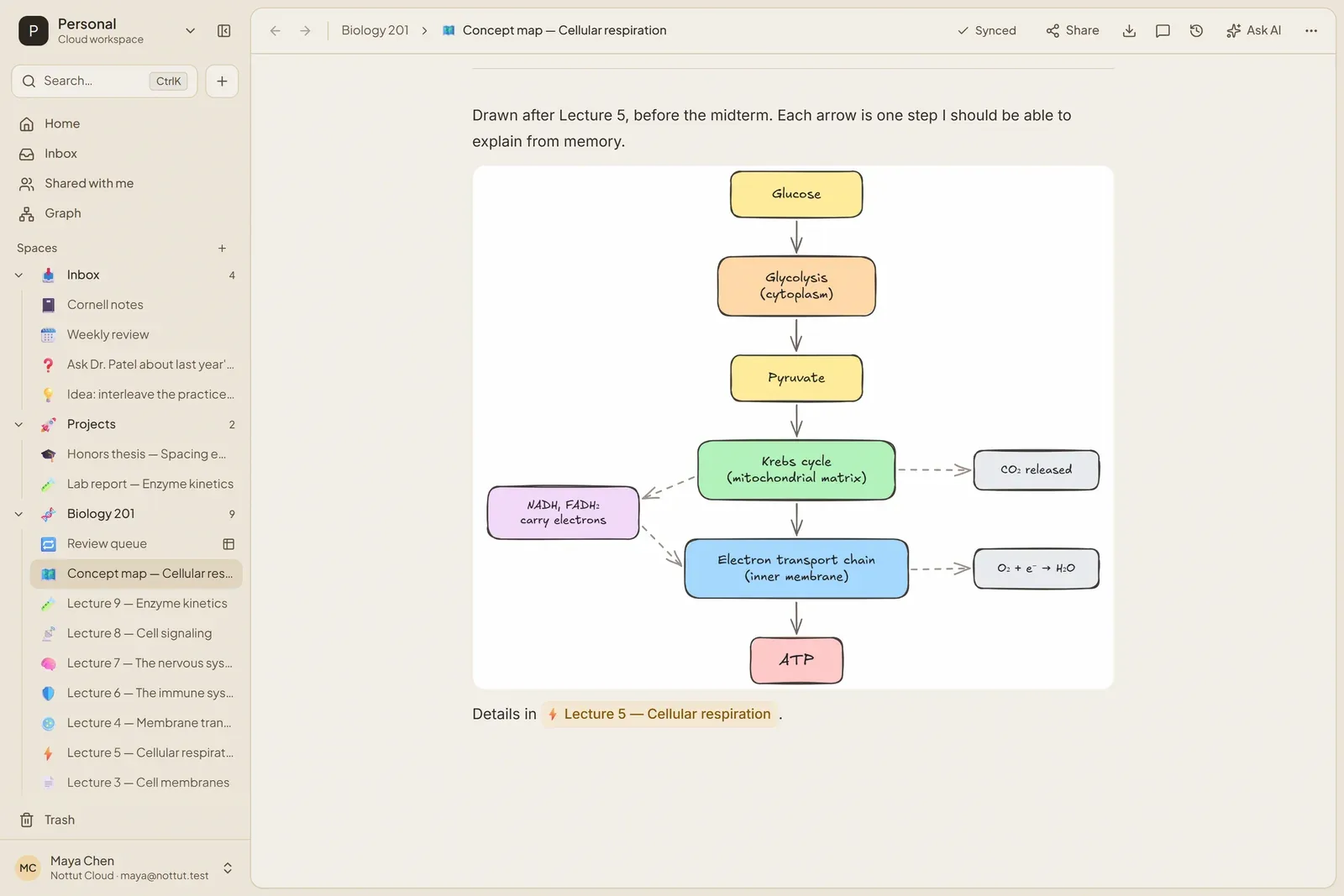
How to build it: type /draw and choose Drawing. A tip from the research: building a map helps, but testing yourself helps more, so cover the map and redraw it from memory before an exam (the evidence).
5. Assignments on a board and a calendar
A database turns a list of assignments into something you can sort. The same entries appear as a board grouped by status and as a calendar by due date, so nothing hides at the bottom of a list.
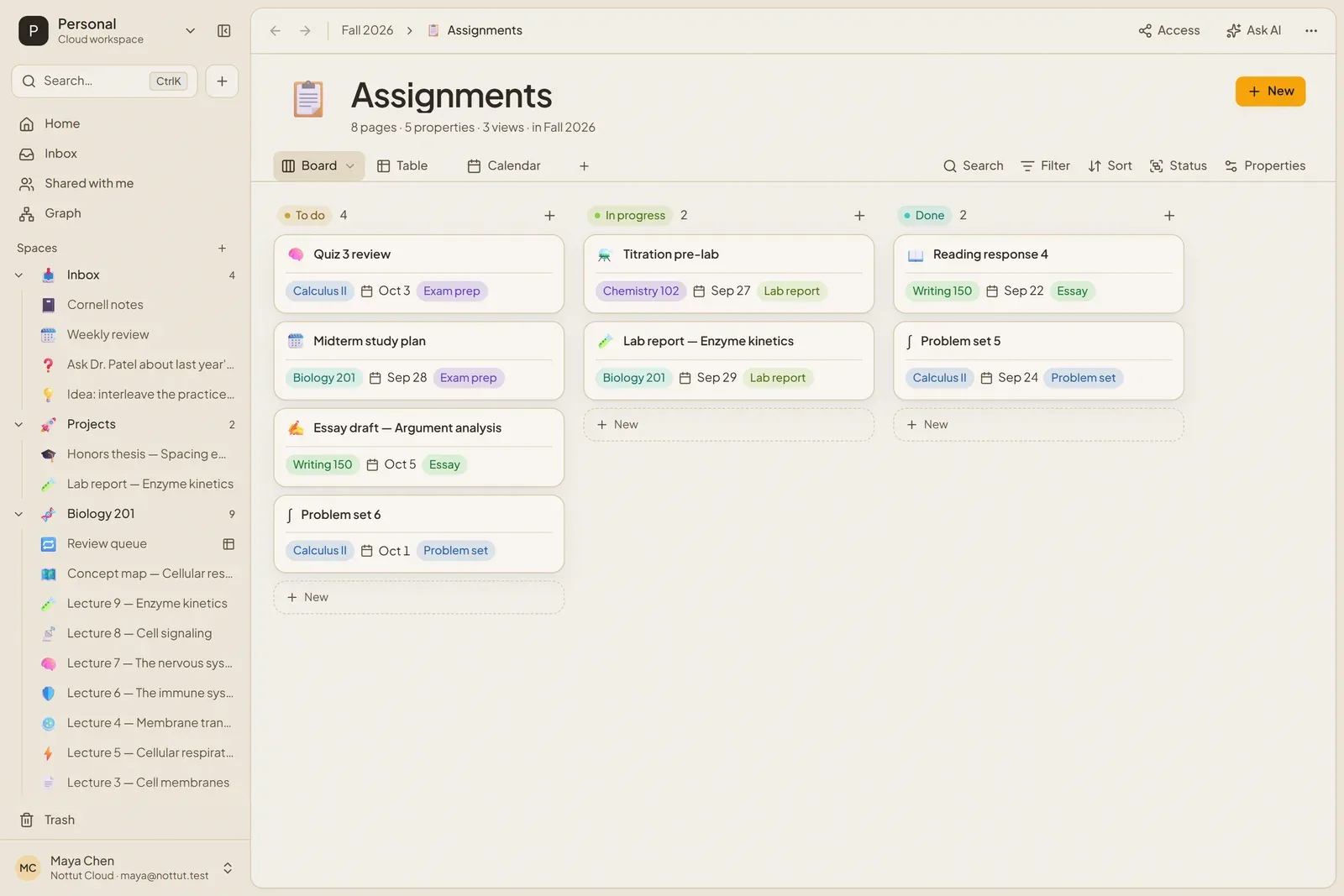
How to build it: open the + menu next to a space in the sidebar and choose New database. Add a Status, a Course, a Type and a Due date property, then use the + next to the view tabs to add a Board and a Calendar view.
6. A reading list with covers
A gallery view makes a reading list pleasant to scan. Each book is a page, so your notes on it live one click away from the cover.
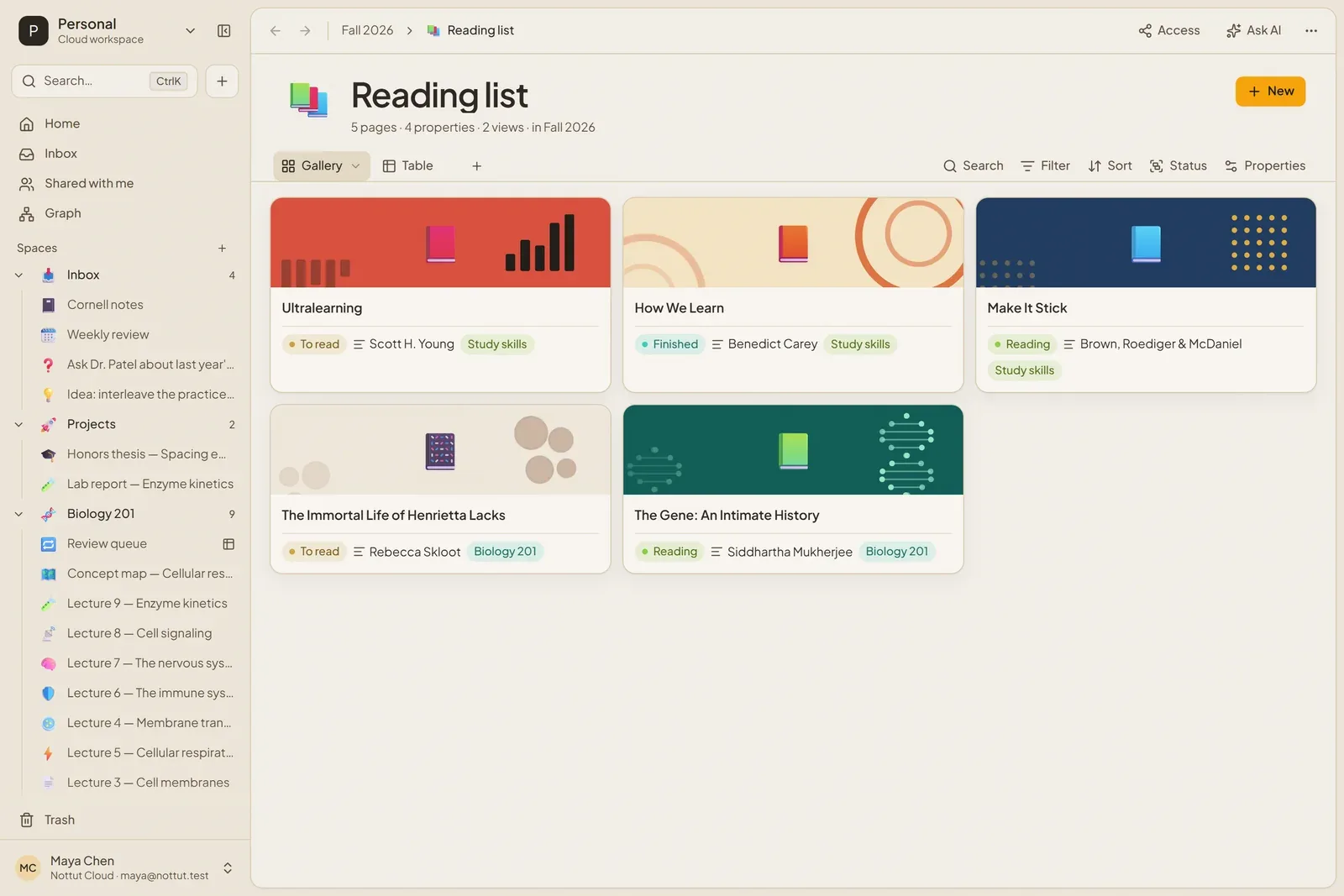
How to build it: create a database with Status, Author and Course properties, add a Gallery view, and give each book page a cover.
Set it up in 15 minutes
- Create a space for the term and a Semester home page with two columns.
- Add an Assignments database with a Board and a Calendar view, and enter everything from your syllabi.
- Make one lecture page the way you like it, then save it as a template from the ··· menu. The Cornell notes template guide walks through this with screenshots.
- After each lecture, turn the key points into questions in toggles.
- Once a week, answer those questions without looking, and put anything you missed into a review queue.
What Nottut does not do yet
- No offline mode. Nottut needs a connection to load and save notes.
- No native iOS or Android app. It runs in the browser on phones and tablets, and you can install it from the browser like an app.
- Handwriting is not the focus. You can sketch in a Drawing block, but typed notes are the core.
- No flashcard mode. Questions in toggles and a review queue do the same job inside your notes.
FAQ
Is Nottut free for students?
There is a free plan, and you can sign up without a credit card. The pricing section lists what each plan includes.
Can I use Nottut on my phone or iPad?
Yes, in the browser. You can also install it from the browser so it opens like an app. There is no native iOS or Android app yet.
Can I write math equations in Nottut?
Yes. Write an equation between $$ signs on its own line for a block, or between single $ signs inside a sentence; the slash menu also has Math block and Inline math. Equations are written in LaTeX and rendered with KaTeX.
Can I import notes from another app?
You can import Markdown, HTML and Evernote (.enex) exports as editable pages. Text, formatting, tags and dates come across. Images and attachments in Evernote exports arrive as placeholders for now.
Does Nottut have AI features?
Yes. Select text and ask the AI to summarize, improve, continue or translate it, or open Ask AI with your own instruction. For studying, use it after you have tried to recall the material yourself: recalling is what does the work.
The short version
Pick an app that holds everything a course produces and makes it easy to test yourself on it. In Nottut that means a semester home, lecture notes with formulas and drawings, an assignments board, and questions in toggles that you answer before you reread. Create a free account and copy the setups above.
Related reading: How to take better notes · Free Cornell notes template · Active recall and spaced repetition
Sources
- Kiewra, K. A., Colliot, T., & Lu, J. (2018). Note this: How to improve student note taking (IDEA Paper No. 73). IDEA Center. ERIC ED588353
- Kobayashi, K. (2006). Combined effects of note-taking/-reviewing on learning and the enhancement through interventions: A meta-analytic review. Educational Psychology, 26(3), 459–477. doi:10.1080/01443410500342070